


I have been testing VPNs for a while now, and this is my honest Surfshark VPN review based on real usage and research in 2026.
At first glance, the pricing looks almost too good to be true. A premium VPN for under $2 a month? That was my exact reaction when I first came across Surfshark.
But here is the thing Surfshark has made some significant changes in 2026, including new security upgrades, plan restructuring, and a second independent audit. So it is worth taking a fresh look to see if it actually holds up.
If you are planning to pick a VPN this year, read through this in-depth Surfshark review. I will cover the speed, pricing, features, privacy, and a few things most reviews won't tell you upfront like what happens to your price after the first billing cycle ends.
The Quick Verdict (Pros, Cons & Who It's For)
Let me cut straight to it before diving deeper.

Surfshark Overview
I have tested Surfshark in 2026 the speeds, the pricing surprises, and the features most reviews skip. Here is what I actually found.
Starting Price: $1.88/mo
👉 Try Surfshark completely risk-free with their 30-day money-back guarantee no questions asked, full refund if you are not satisfied.
Active DealPROS
- Unlimited simultaneous device connections on all plans
- Excellent speed retention with WireGuard (90–95% of base speed)
- Unblocks 16+ Netflix libraries plus all major streaming platforms
- Two independent Deloitte audits validating no-logs policy
- Affordable long-term pricing starting at $1.99/month
- Post-quantum encryption support rolled out in early 2026
- Strong privacy features like MultiHop, Camouflage Mode, and CleanWeb
CONS
- Renewal prices jump significantly after the intro period
- Based in the Netherlands (part of the 9-Eyes intelligence alliance)
- Smaller server network compared to NordVPN
- SmartDNS feature was discontinued as of February 2026
- Monthly plan is expensive at $15.45/month
Surfshark is best for:
- Budget-conscious users who want premium-level features
- Families or households with multiple devices (unlimited connections on every plan)
- Streamers who want to unblock Netflix, BBC iPlayer, Hulu, and Prime Video
- Privacy-focused users who want an independently audited no-logs VPN
- Frequent travelers or people in censorship-heavy regions
Surfshark is NOT ideal for:
- Users who need the absolute fastest speeds (NordVPN has an edge here)
- People in China who rely on a VPN consistently (it is hit or miss)
- Anyone who wants month-to-month flexibility without paying a steep premium
- Users who need a massive server network (Surfshark has 4,500+ vs NordVPN's 6,000+)
Pricing Tiers & Hidden Renewal Costs
This is the section most VPN reviews gloss over. I am not going to do that.
Surfshark offers three plans Starter, One, and One+. Here is the current pricing breakdown as of 2026:
| Plan | Monthly | 1 – Year | 2 – Year |
|---|---|---|---|
| Starter | $15.45/mo | $3.08/mo | $1.88/mo |
| One | $17.95/mo | $3.38/mo | $2.28/mo |
| One+ | $20.85/mo | $6.98/mo | $4.18/mo |
What each plan includes:
- Starter — This is the core VPN plan. You get unlimited connections, CleanWeb ad blocker, kill switch, split tunneling (Bypasser), Dynamic MultiHop, Camouflage Mode, and Alternative ID. Solid for everyday browsing and streaming.
- One — Everything in Starter plus Surfshark Antivirus, Surfshark Alert (data breach monitoring), private search engine, and webcam protection. For just $0.50 more per month on the 2-year plan, this is genuinely great value.
- One+ — Everything in One plus Incogni, which is a data removal service that automatically scrubs your personal info from data broker databases. This alone costs $3.99/month standalone, so bundling it makes One+ a smart buy if data privacy is a priority.
The part they don't shout about renewal pricing:
Here is what you need to know before hitting subscribe. The introductory 2-year price of $1.99/month does NOT renew at that rate. Once your initial term ends, Surfshark switches to annual billing at much higher rates:
- Starter renews at $99/year (roughly $8.25/month)
- One renews at $119/year (roughly $9.92/month)
- One+ renews at $149/year (roughly $12.42/month)
That is a significant jump, especially if you signed up expecting it to stay at $1.99. To be fair, Surfshark does send renewal notices 30 days in advance. But I suggest setting a calendar reminder yourself so you are not caught off guard.
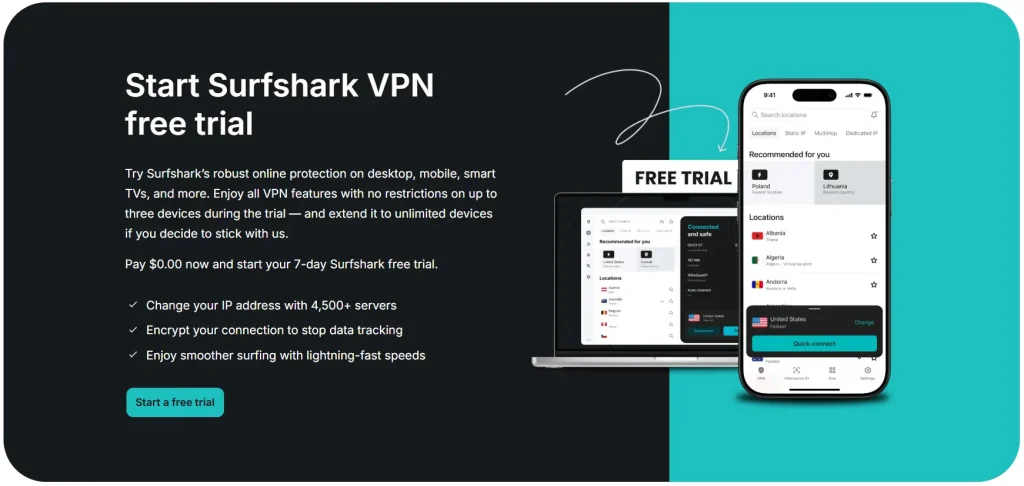
Refund Policy & Free Trial: Every plan comes with a 30-day money-back guarantee, no questions asked. On Android and iOS, new users can also access a 7-day free trial through the app stores. There is no free plan in 2026.
My Verdict: The 2-year Starter plan at $1.99/month is one of the best deals in the VPN market right now. But if you are thinking long-term, factor in the renewal rate before committing. The One plan is the sweet spot for most users just $0.50 more per month, but significantly more features.
Core Security & Privacy Features
Unlimited Simultaneous Connections: The Biggest Competitive Edge
This is probably the single most valuable feature Surfshark offers that its competitors do not. While NordVPN allows 10 simultaneous connections and ExpressVPN allows 8, Surfshark lets you connect every device in your household at the same time on a single subscription with no stated cap.
That means your phone, laptop, smart TV, tablet, partner's phone, and gaming console are all covered under one account. For families, this alone justifies the price.
CleanWeb & Bypasser (Split Tunneling)
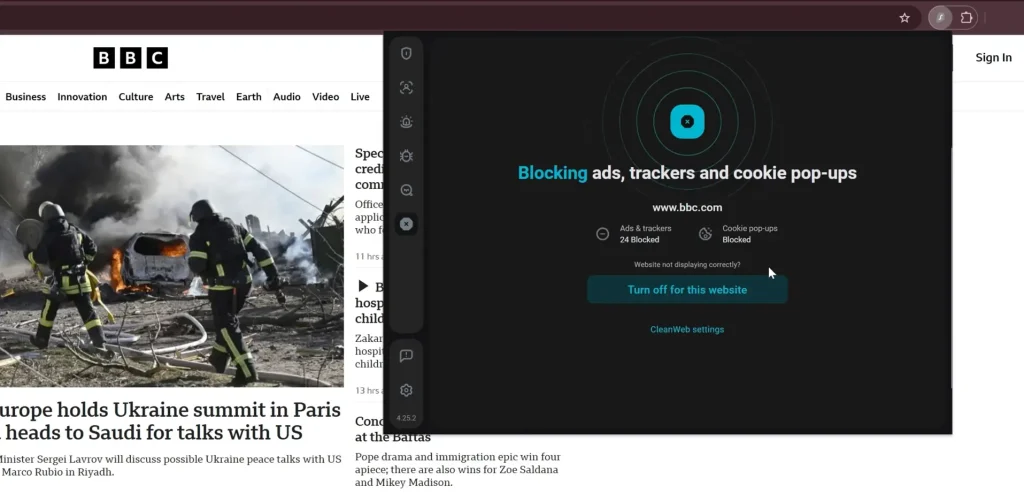
CleanWeb 2.0 is Surfshark's built-in ad, tracker, and malware blocker. In 2026, it was updated to also block cookie pop-ups, which is a genuinely useful addition for everyday browsing.
Bypasser (Surfshark's version of split tunneling) lets you choose specific apps or websites that should bypass the VPN tunnel entirely. So if you want your banking app to use your real IP while everything else routes through the VPN, Bypasser handles that cleanly.
Dynamic MultiHop & Camouflage Mode
Dynamic MultiHop routes your traffic through two VPN servers instead of one, doubling your encryption layer. What is interesting here is that Surfshark recently added a “Create Connection” feature that lets you manually choose both countries for your MultiHop route something I have not seen from other VPN providers.
Camouflage Mode is Surfshark's obfuscation feature. When activated (it runs automatically over OpenVPN), it disguises your VPN traffic to look like regular HTTPS traffic. This is crucial for people in regions with heavy internet censorship, or anyone worried their ISP can detect VPN usage. NoBorders Mode is a separate but related feature that activates automatically in restrictive regions to help bypass geo-blocks.
In early 2026, Surfshark also rolled out post-quantum encryption support for its WireGuard protocol a forward-looking upgrade that protects against future quantum computing threats.
Alternative ID — Spam and Email Protection
Alternative ID is a unique feature across all plans that generates a new digital identity for you a fake name, fake details, and an alias email address. Any emails sent to that alias get forwarded to your real inbox, but the third-party website or app never sees your actual email.
I found this genuinely useful for signing up to newsletters, free trials, or any website you are not fully sure about. It noticeably reduces spam over time.
My Verdict: Surfshark's feature set punches well above its price. Dynamic MultiHop with manual country selection, post-quantum encryption, and Alternative ID are things you typically only find in premium VPNs. The unlimited connections remains the headline feature that most competing VPNs simply cannot match.
Speed & Performance Benchmarks
Speed is where I know a lot of people make their final decision, so let me give you the raw numbers without the fluff.
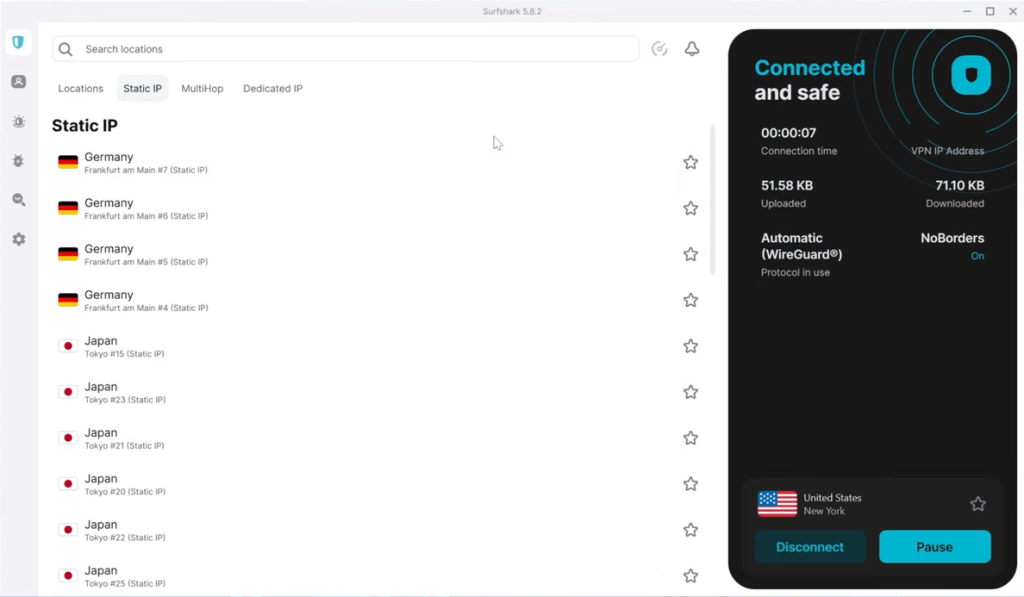
WireGuard (Recommended Protocol): Surfshark over WireGuard consistently retains 90–95% of base internet speed in independent tests. One set of benchmarks recorded speeds reaching 752 Mbps on nearby servers. In practical terms, if your base connection is 200 Mbps, you are looking at around 180–190 Mbps through the VPN barely noticeable.
OpenVPN: OpenVPN is noticeably slower. Independent tests using Surfshark showed roughly an 86% download speed retention with WireGuard compared to around 41% with OpenVPN. If speed matters, stick with WireGuard or IKEv2. OpenVPN is better reserved for situations where you need obfuscation (Camouflage Mode) or maximum compatibility.
Protocol Comparison Summary:
| Protocol | Speed Retention | Best Use Case |
|---|---|---|
| WireGuard | 90–95% | Streaming, gaming, daily use |
| IKEv2 | ~85% | Mobile, network-switching |
| OpenVPN UDP | ~40–50% | Obfuscation, restricted networks |
| OpenVPN TCP | Slowest | Maximum reliability/stability |
A few things I noticed: Surfshark takes a second or two longer to establish a connection than NordVPN or ExpressVPN. It is a minor thing, but power users who frequently switch servers will notice it. There were also occasional ping spikes on specific servers (some Israel-based servers flagged in tests), which suggests you might encounter the odd underperforming node. If that happens, the fix is simple disconnect, wait a few seconds, and reconnect to a different server.
My Verdict: For most users, WireGuard on Surfshark will feel essentially the same as browsing without a VPN. The speed is genuinely impressive for the price point. OpenVPN is slower, but that trade-off makes sense given what you get from it security-wise.
Streaming & Torrenting Capabilities
Streaming — What Works:
In 2026, Surfshark unblocks all of these platforms reliably:
- Netflix (16+ regional libraries including US, UK, Japan, Australia)
- BBC iPlayer
- Amazon Prime Video
- Disney+
- Hulu
- HBO Max
- Paramount+
- DAZN
The high WireGuard speeds mean 4K content loads without buffering. During testing across multiple reviews, there were no reports of location errors when switching between Netflix libraries. The experience is smooth.
One thing worth noting: Surfshark discontinued its SmartDNS feature as of February 2026. This is relevant if you have a smart TV or gaming console that does not support native VPN apps, since SmartDNS was previously the easiest workaround. Surfshark does have dedicated apps for Amazon Fire TV and Apple TV, so it is not a dealbreaker, but it is worth knowing.
Torrenting:
All Surfshark servers support P2P traffic there are no segregated torrent-only servers. This is convenient because you do not have to hunt for specific servers when torrenting. The high WireGuard speeds hold up well for large downloads, and the kill switch ensures your real IP does not leak if the VPN drops.
My Verdict: Surfshark is one of the best VPNs for streaming in 2026. Losing SmartDNS is a mild inconvenience, but the platform unblocking is consistent and the speeds are more than adequate for HD and 4K content.
Jurisdiction & Independent Audits
This is where I want to be straightforward with you.
The Netherlands (9-Eyes) — What It Actually Means:
Surfshark is headquartered in the Netherlands, which is part of the 9-Eyes intelligence alliance. This is a network of countries that cooperate on intelligence sharing. On paper, that sounds alarming. In practice, the concern is about whether Surfshark could be compelled to hand over user data.
Here is why it is less of a concern than it sounds: The Netherlands does not have mandatory data retention laws. More importantly, Surfshark runs entirely on RAM-only servers. When a server powers off or reboots, all data is wiped immediately. There is quite simply no logs to hand over, even if compelled by law.
The Deloitte Audit — The Real Trust Signal:
Surfshark completed its second independent no-logs audit by Deloitte in June 2025, following the ISAE 3000 international standard. Deloitte examined server configurations, authentication flows, internal processes, and interviewed Surfshark staff to verify the no-logs claim.
Their conclusion confirmed that Surfshark does not store browsing history, IP addresses, or session data on its users. The full ISAE 3000 report is available to Surfshark subscribers in their account dashboard.
They also passed additional audits: a SecuRing penetration test in April 2025 found no critical vulnerabilities, and their browser extensions were independently audited by Cure53.
My Verdict: The Netherlands jurisdiction is a valid concern on paper, but the RAM-only infrastructure + Deloitte verification significantly reduces the practical risk. For most users, this is as trustworthy as any VPN on the market right now. The audit trail is real, not just marketing language.
How Does Surfshark Compare to Competitors?
| VPN | Starting Price (2-year) | Simultaneous Connections | Speed Retention | Servers | No-Logs Audit |
|---|---|---|---|---|---|
| Surfshark | $1.99/mo | Unlimited | 90–95% | 4,500+ in 100 countries | Deloitte (2025) |
| NordVPN | ~$3.29/mo | 10 | ~95%+ | 8,000+ in 130 countries | Deloitte (2025) |
| ExpressVPN | ~$2.79/mo | 10 to 14 | ~88% | 3,000+ in 105 countries | 19 third-party audits |
| Private Internet Access | $2.03/mo | Unlimited | ~85% | 35,000+ (virtual) | KPMG (2022) |
Where Surfshark wins: Price, unlimited connections, streaming unblocking, and feature set for the cost.
Where it falls short: NordVPN is generally faster and has a larger server network. ExpressVPN has a more extensive audit history. PIA has more servers (though many are virtual).
For most everyday users, Surfshark hits the best balance of price, features, and reliability. If raw speed and server count are your top priorities, NordVPN edges it out but you will pay more for it.
Final Verdict: Should You Buy Surfshark in 2026?
After researching and testing everything, here is where I land.
Surfshark is one of the best value VPNs available in 2026, full stop. The combination of unlimited device connections, WireGuard-powered speeds, consistent streaming unblocking, and a Deloitte-verified no-logs policy is hard to match at any price let alone at $1.99/month.
Is it perfect? No. The renewal pricing jump is real and can surprise you if you are not prepared for it. The Netherlands jurisdiction will make some privacy purists uncomfortable. And losing SmartDNS is a minor step back for non-app devices.
But for the majority of users whether you are protecting a family's devices, streaming from abroad, working on public Wi-Fi, or just want a solid layer of daily privacy Surfshark delivers on all fronts.
My recommendation:
- Go with the 2-year Starter plan if you just need a fast, reliable VPN for browsing and streaming.
- Upgrade to One if you want antivirus and breach monitoring bundled in (the $0.50 difference is worth it).
- Choose One+ only if data broker removal (Incogni) is a specific priority for you.
Set a reminder before your 2-year term ends so you can decide whether to renew, shop a new deal, or switch to a different provider.
Frequently Asked Questions
Q1. Is Surfshark safe to use in 2026?
Yes. Surfshark uses AES-256 encryption, a verified no-logs policy (audited by Deloitte twice), and RAM-only servers that wipe all data on reboot.
Q2. Does Surfshark work in China?
It can work, but it is inconsistent. Surfshark's Camouflage Mode and NoBorders Mode are designed for censorship-heavy regions, and they do help. However, the Great Firewall of China is unpredictable, and no VPN can guarantee 100% reliability there. If China is your primary use case, test it thoroughly during the refund window.
Q3. How many devices can I use with Surfshark?
Unlimited simultaneous connections on every plan. No stated cap. This is one of Surfshark's biggest advantages over competitors like NordVPN (10 devices) and ExpressVPN (10 to 14 devices).
Q4. Is Surfshark better than NordVPN?
It depends on what you prioritize. Surfshark wins on price and unlimited connections. NordVPN wins on raw speed, server count, and a more established audit history. For most everyday users, Surfshark offers better value. For power users and professionals, NordVPN might be worth the extra cost.
